Did you end up getting stuck on your whiteboard choice?
Digital whiteboards have become an essential tool for online collaboration. Which tool is better suited for your team: Miro or Microsoft Whiteboard? From simple idea sketches to conducting complex workshops, we delve into the pros and cons of both tools in real-world usage scenarios.
Did you end up getting stuck on your whiteboard choice?

With the spread of remote and hybrid work, the importance of online collaboration tools is growing day by day. As visual representation is key to everything from brainstorming ideas to project planning, digital whiteboards are an indispensable necessity. However, with so many options available, choosing the right tool can be a difficult decision. Frankly, both Miro and Microsoft Whiteboard have distinct pros and cons, making it confusing to determine which tool is more suitable for a given situation. After reading this article, you will be able to make the optimal choice for your specific needs.
Choose this when: If your budget is 300,000 won or less
If your budget is under 300,000 won, Microsoft Whiteboard might be a much more reasonable choice. This is because while Miro is available with a free plan, it is limited to three editable boards. However, if you want to take advantage of Miro 's various features and scalability, it is worth considering.
Miro : Colorful templates and powerful collaboration features
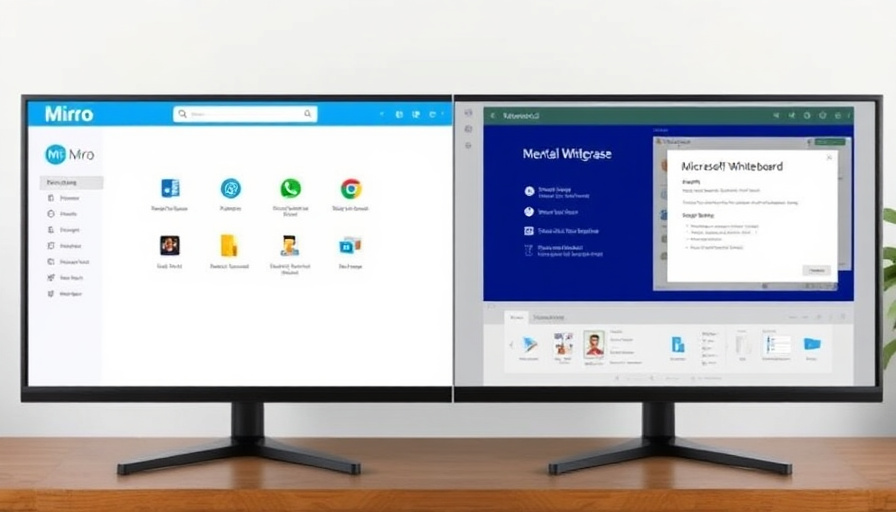
It offers a variety of templates and advanced collaboration features (voting, timers, video chat, etc.), and provides excellent support for integration with external apps. Miro boasts flexible usability and scalability, making it suitable for a wide range of users, from individual users to large teams. However, the free plan is limited to three boards, costs can increase rapidly as the team grows, and there is a possibility of performance degradation on large boards.
- Various Templates Provided: You can visually organize ideas using templates suitable for various purposes, such as brainstorming, meetings, and project planning.
- Advanced Collaboration Features: Facilitate communication among team members through real-time voting, timers, and video chat.
- Extensive external app integration: You can increase work efficiency by integrating with various apps such as Slack and Trello.
- Flexible usability and scalability: Suitable for various scales, from individual users to large teams, and allows you to add features or expand as needed.
Maze , please be careful of these points
- Free plan limit: Limited to 3 editable boards.
- Increased Costs: As the team grows, costs can increase rapidly.
- Large-scale board performance degradation: Lag may occur on large-scale boards.
Microsoft Whiteboard : Simplicity and Integration with Microsoft 365

This is a digital whiteboard available for unlimited use at no extra cost with a Microsoft 365 subscription. Its strengths lie particularly in its tight integration with Microsoft 365 and Teams, and it is optimized for simple sketching and sharing ideas.
- Free with Microsoft 365 subscription: Unlimited use at no extra cost.
- Easy to use: With an intuitive interface, anyone can use it easily.
- Integration with Teams: You can integrate with Microsoft Teams to share ideas and brainstorm during meetings.
- Free to use: You can use it for free with just a Microsoft account.
Microsoft Whiteboard , please be aware of these points
- Functional Limitations: Functionality is limited compared to the maze .
- Lack of Templates: There are not enough templates provided.
- External App Integration Restrictions: Integration with apps outside the Microsoft ecosystem is limited.
- Large-scale board delay: Delays may occur on large-scale boards.
Things that change after actually using it
At first, I thought Microsoft Whiteboard would be fine since it is free and I already use Microsoft 365. However, I found that there are costs involved if you use quite a few features. In particular, you need to consider that the cost burden can become significant if you need to use three or more boards. On the other hand, while I was able to utilize various features with Miro , it took some time for my team members to get used to it.
3 Things You Must Check Before Choosing
- Current number of boards in use and expected future usage: Since the Miro free plan is limited to 3 boards, you must select a suitable plan by considering your current usage and expected future usage.
- Team's existing collaboration tool ecosystem: If you are already using Microsoft 365, Microsoft Whiteboard can integrate much more conveniently.
- Required advanced collaboration features: If you need advanced features such as voting, timers, and video chatting, Miro is a better fit.
Ultimately, which tool is right for me?
Ultimately, the choice that suits your situation depends on two factors. Miro is suitable for teams that value diverse features and scalability, while Microsoft Whiteboard is suitable for teams that prioritize simplicity and integration with Microsoft 365. Reading this article will help you choose the tool that is better suited for your team.
Miro vs. Microsoft Whiteboard , which tool should you choose?
Miro, packed with diverse features, and Microsoft Whiteboard , which integrates conveniently with Microsoft 365. Which tool is better suited for your team? Choose now!